

My desk is also my dining table, my mail drop, and sometimes my vanity. That is studio apartment life, and I am not complaining. But when every surface does three jobs, a pile of tangled cords becomes genuinely stressful. A cable friendly desk setup is not just about aesthetics. It is about keeping a small space from feeling like a disaster every time you sit down to work.
The good news is that you do not need a dedicated home office, a drill, or a landlord who says yes to everything. These apartment organization ideas rely on removable products, smart routing, and a little intentional planning. Whether you are working from a floating shelf, a folding table, or a corner desk wedged between your bed and the wall, these steps will help you get the cords under control for good.
Key takeaways
- You can build a fully cable friendly desk setup in a studio apartment without drilling a single hole.
- Grouping cords by device zone cuts down on visual noise and makes it easier to swap gear in and out.
- Renter friendly storage solutions like adhesive clips and velcro ties are just as effective as permanent cable management hardware.
Why I Finally Tackled My Studio Desk Cords
I used to push my laptop charger and monitor cord into a pile at the back of my desk every morning and just ignore it. One day I counted seven separate cords visible from my couch and decided enough was enough. An afternoon with velcro ties and a clamp-on cable tray later, my desk actually looked like a place I wanted to sit.
Step-by-step
Plan Before You Set Up
1. Map Your Devices Before You Buy Anything

Before touching a single cord, sit at your desk and write down every device that needs power or a data connection. Laptop, monitor, lamp, phone charger, speaker, webcam. Knowing exactly what you are working with prevents you from buying the wrong cable management products. This one planning step saves money and keeps small space organization intentional rather than reactive. A simple list on a sticky note works perfectly.
Tip: Count your outlets first. If you only have one nearby, a surge protector with a long cord is your foundation piece.
2. Choose a Surge Protector You Can Hide Easily
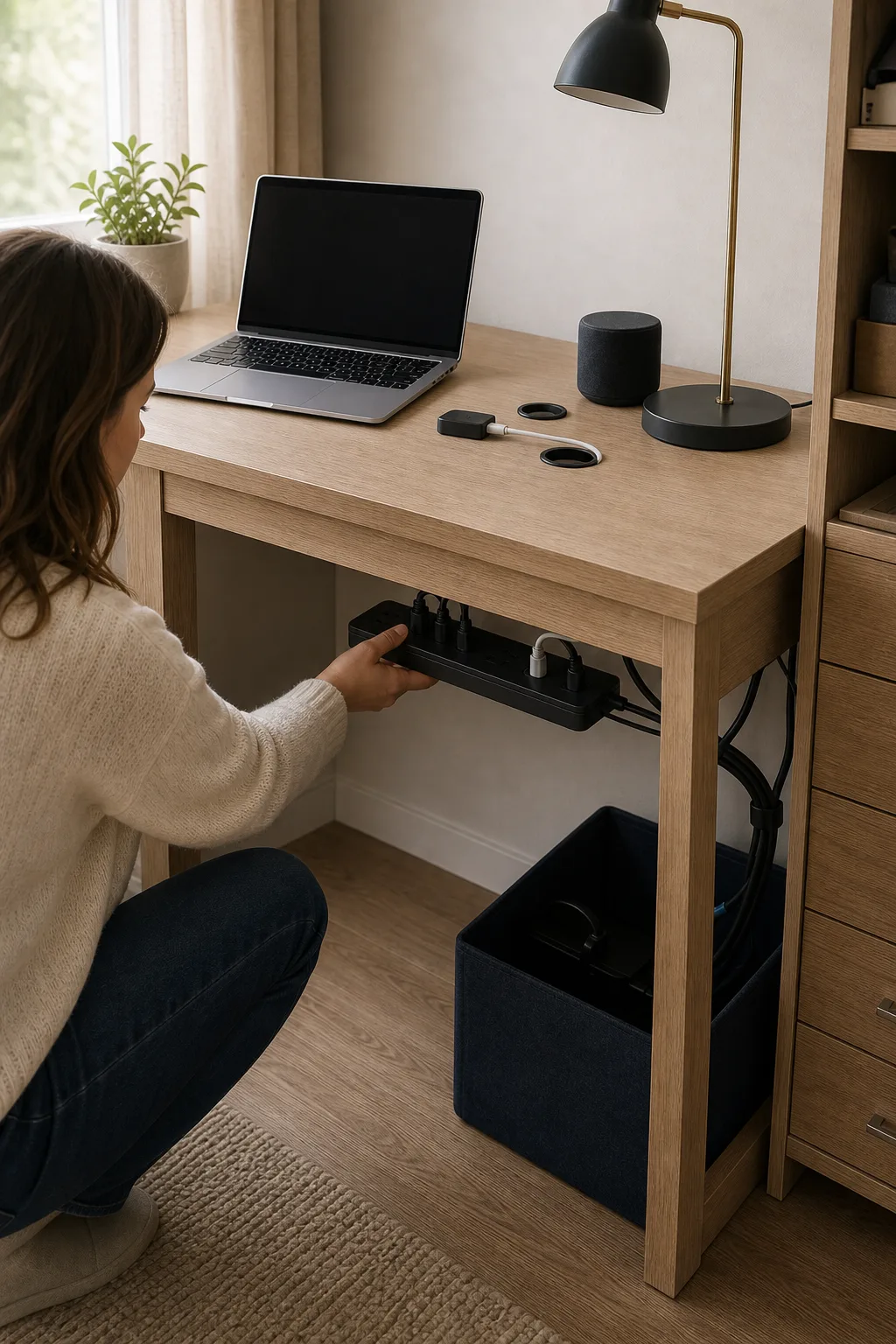
A flat or slim surge protector tucks under a desk or behind a small filing cabinet far more easily than a bulky traditional power strip. Look for one with individual outlet spacing so large adapters do not block other ports. In a studio apartment, your surge protector is essentially the hub of your entire cable friendly desk setup, so choosing a compact one matters. Mounting it to the underside of your desk with a velcro strip keeps it completely off the floor.
Tip: A surge protector with a long cord lets you place your power source away from the wall outlet, which gives you more flexibility in how you route cables.
Route Cords the Smart Way
3. Use Adhesive Cable Clips to Route Cords Along Desk Edges
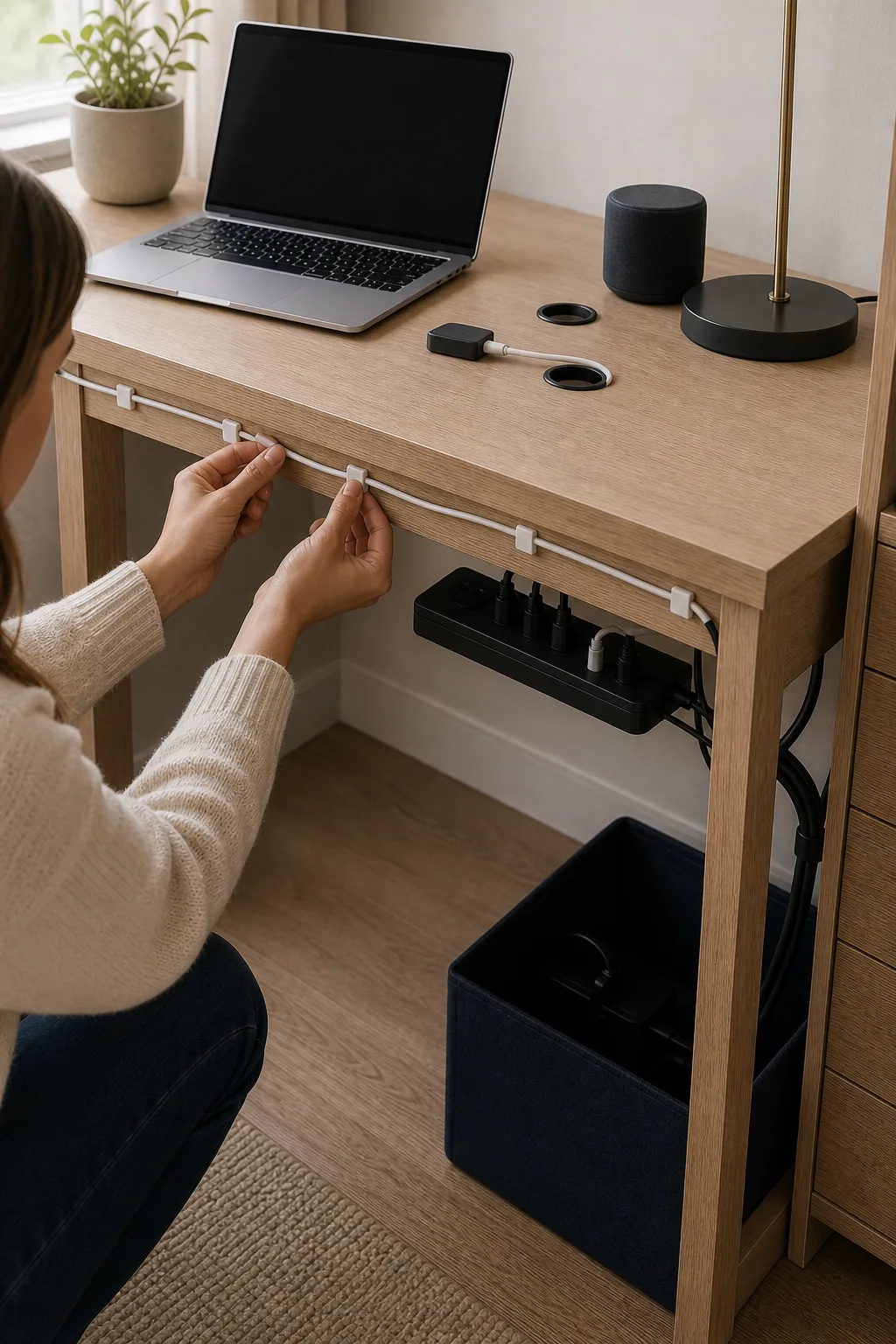
Adhesive cable clips are one of the best renter friendly storage tools for cord management. They press onto the underside or back edge of your desk and hold individual cables in a clean line. Running cords along the desk edge rather than letting them hang freely eliminates the dangling tangle that makes a small workspace feel messy. Command brand clips remove without damaging surfaces, which is important when you are renting. Space them every six to eight inches for a neat result.
Tip: Route your most-used cord (usually your laptop charger) closest to your workspace edge so it is always within reach.
4. Velcro Tie Cords Before They Reach the Desk
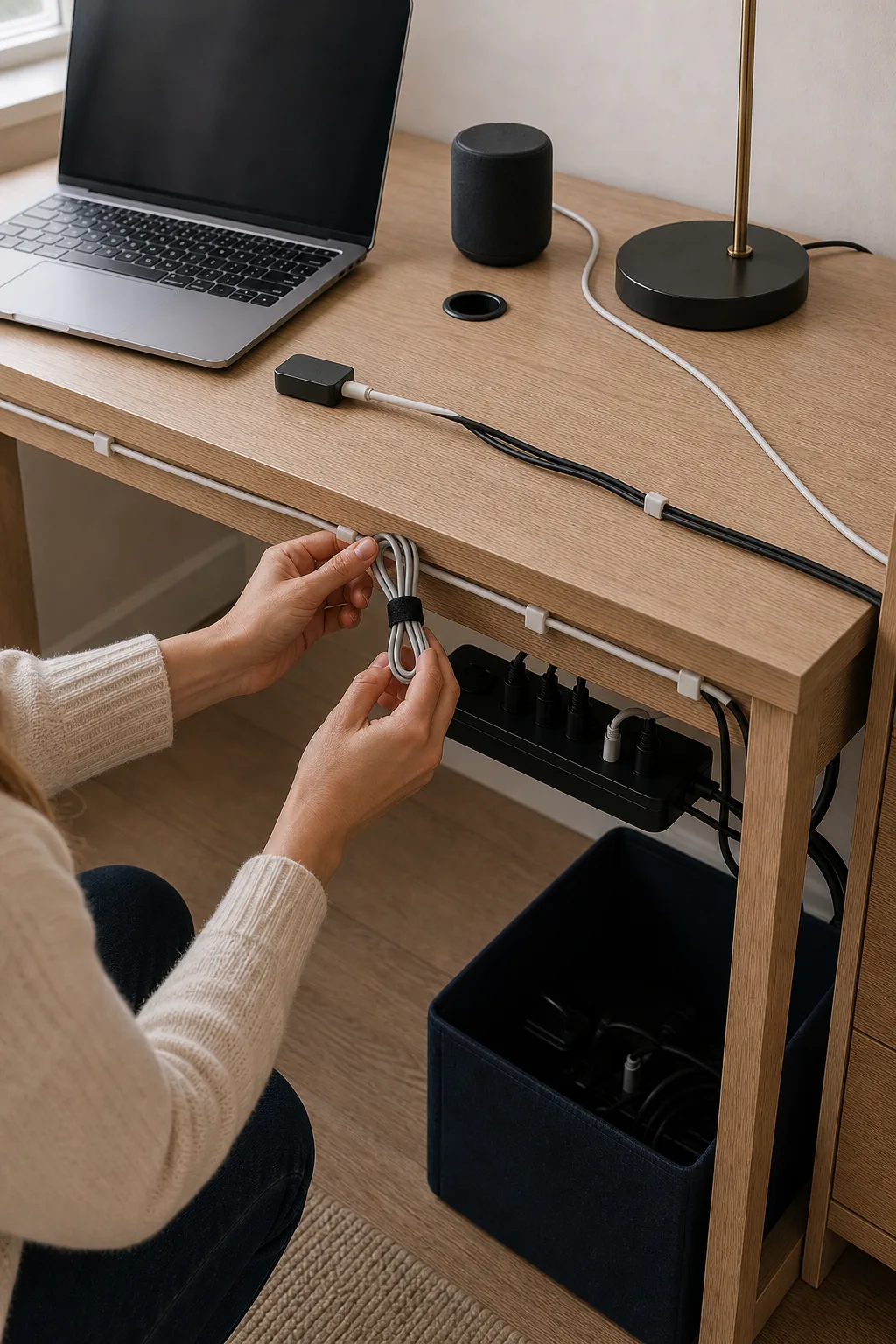
Reusable velcro cable ties are a game-saver for apartment organization ideas on a budget. Wrap them around any cord that is longer than it needs to be, gathering the excess into a neat coil. Unlike zip ties, velcro ties are fully adjustable and reusable, so they work even when you rearrange your setup. In a studio apartment where your desk might move seasonally, flexibility matters a lot. Keep a small pouch of extras in your desk drawer so you always have one ready.
Tip: Bundle cords that travel the same path together into a single velcro-tied group to cut visual clutter in half.
5. Mount a Cable Tray Under Your Desk Without Drilling

Under-desk cable trays keep surge protectors and cord bundles completely out of sight. Many trays clamp onto the desk edge with no screws required, making them a solid no-drill solution for renters. The tray catches all the cord slack that would otherwise pool on the floor. In a studio apartment where your desk is visible from every corner of the room, hiding cables underneath changes the entire feel of the space. Look for a tray that is at least 12 inches wide to give you enough room for a slim surge protector and a few bundled cords.
Tip: Face the open side of the tray toward the wall so cords stay hidden from your sightline when you are seated.
6. Use a Cable Sleeve for Cords That Drop to the Floor
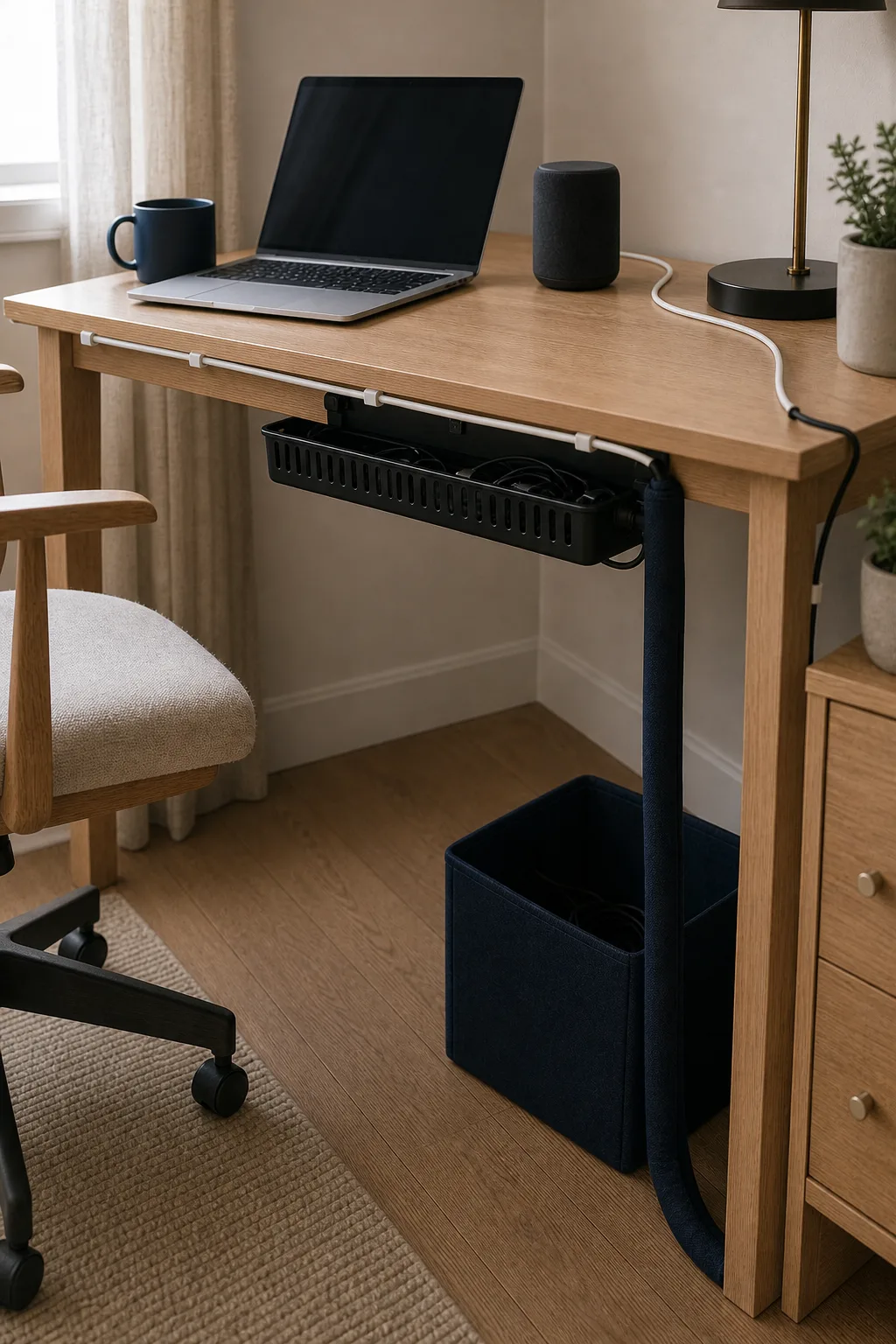
Even with great desk-level cord management, some cables have to travel from your desk to the floor, especially monitor power cords and desktop computer cables. A neoprene or fabric cable sleeve zips around all those vertical cords and turns them into one clean column. This is one of the most overlooked home organization tips for small desks. In a studio apartment, a visible tangle of cords on the floor feels especially chaotic because it is always in your line of sight. A sleeve takes 60 seconds to install and instantly improves the look of the whole setup.
Tip: Match the sleeve color to your desk or wall color so it blends in rather than drawing attention.
Zone Your Desk Surface
7. Create a Charging Zone Separate From Your Work Surface

On a studio desk that has to do multiple jobs, keeping your charging cables separate from your active work area reduces clutter significantly. A small tray, a drawer organizer, or even a ceramic cup on one corner of the desk can serve as your designated charging zone. Park your phone cable, earbuds cable, and watch charger there permanently so they are not migrating across the desk. This kind of intentional zoning is a core small space organization technique that works in apartments of any size.
Tip: If you charge overnight, move the charging zone to your nightstand or a nearby shelf so the desk stays completely clear during the day.
8. Label Each Cord at the Plug End

In a studio apartment where multiple devices share one surge protector, unlabeled plugs become a guessing game. A small piece of washi tape or a cord label at the plug end tells you exactly what each cord belongs to without pulling everything apart. This is especially helpful for apartment organization ideas that involve a monitor, a USB hub, and a lamp all plugged into the same strip. Labeling takes five minutes and saves frustration every time you need to unplug or swap something. Use a fine-tip marker on the tape so labels stay legible.
Tip: Write device abbreviations rather than full names so labels fit neatly on the tape without curling.
Reduce the Cord Count
9. Add a USB Hub to Reduce the Number of Active Cords

Every extra cord going directly to your laptop is a cord you have to manage. A powered USB hub consolidates your keyboard, mouse, external drive, and card reader into one cable that runs to your laptop. This is especially practical for a cable friendly desk setup in a studio, where reducing the number of visible connections cuts the visual noise considerably. Position the hub at the back of your desk surface or velcro it underneath so only one cable is visible coming from that whole cluster. A hub with its own power source works better for older laptops that get drained by too many USB connections.
Tip: Choose a USB hub with a short cable so it does not require extra cord management of its own.
10. Switch to Wireless Peripherals Where the Budget Allows

A wireless keyboard and mouse each remove one cord entirely from your desk. In a studio apartment where every surface does double duty, fewer physical connections make a real difference in how quickly you can clear the desk for other uses. This is not about spending a lot of money at once. Even swapping one peripheral at a time over a few months moves you toward a cleaner, more friendly desk setup. Wireless peripherals also make it easier to move your laptop to another spot in the apartment without dragging cables with you.
Tip: Store wireless dongles or receivers in a small labeled pouch in your desk drawer so you never lose them during a rearrange.
Studio Specific Moves
11. Use a Pegboard or Wall Grid as a No-Drill Cord Anchor
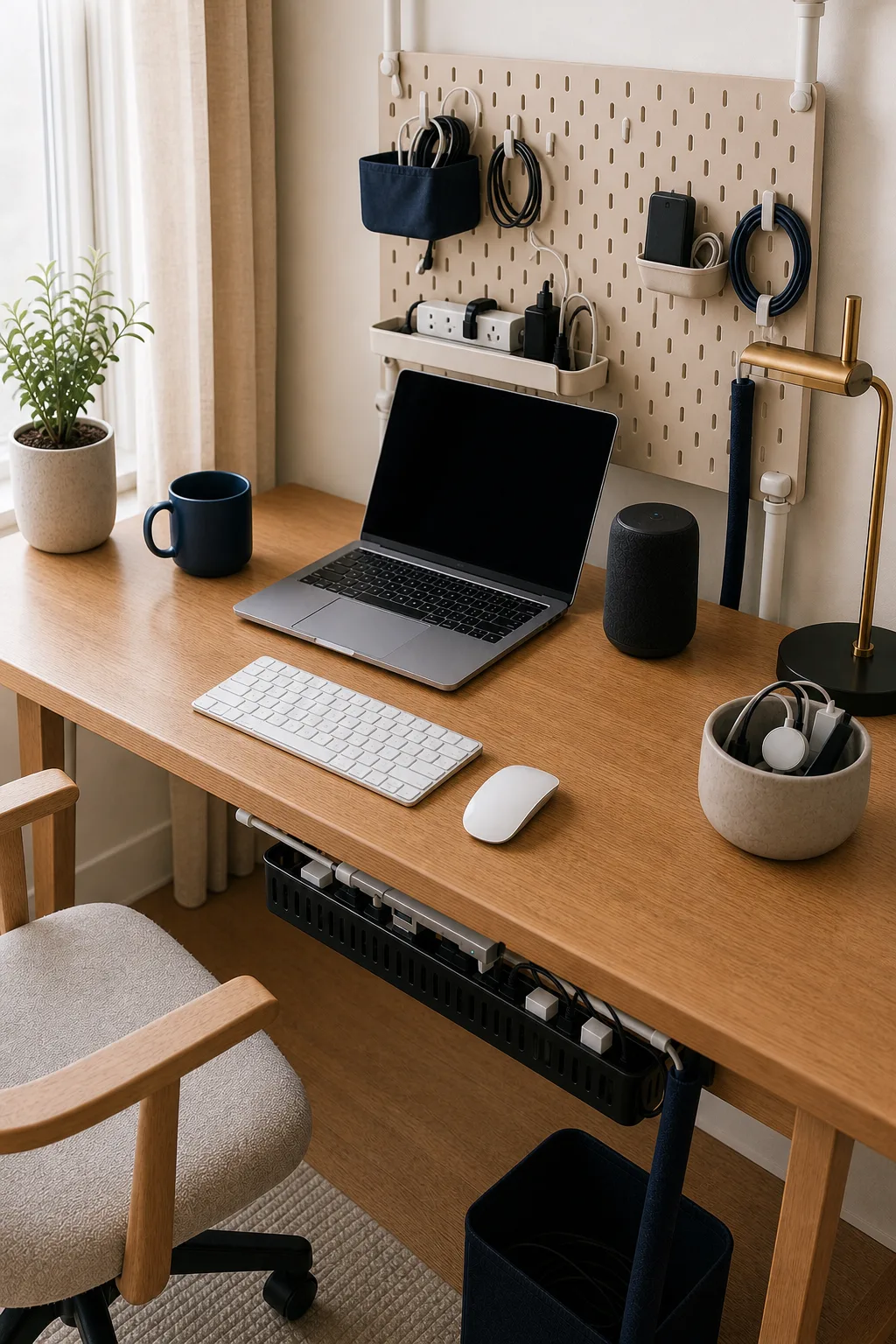
A freestanding pegboard or a tension-mounted wall grid placed behind your desk gives you a vertical surface for routing and anchoring cords without touching your walls. Hang small baskets or hooks on it to hold a USB hub, a charging brick, or a cable bundle at exactly the right height. This is a popular renter friendly storage approach because it is completely reversible. In a studio apartment, the vertical surface also doubles as display space or a spot for small plants, which helps the desk area feel intentional rather than purely functional.
Tip: Use S-hooks on the grid to hold cord loops so they hang neatly rather than sitting in a pile.
12. Do a Weekly Two-Minute Cord Reset

A cable friendly desk setup only stays that way if you maintain it. Once a week, take two minutes to re-velcro any cords that have slipped, tuck back anything that has crept onto the desk surface, and return cables to their designated zones. In a studio apartment where your desk is also your dining table, your creative space, and sometimes your couch-adjacent snack station, things shift constantly. A short weekly reset is one of the simplest home organization tips you can build into your routine. It keeps the system from slowly unraveling between bigger tidying sessions.
Tip: Do your cord reset at the same time as another existing habit, like brewing your morning coffee, so it becomes automatic.
FAQ
Can I build a cable friendly desk setup in a studio apartment without drilling holes?
Yes, absolutely. Adhesive cable clips, velcro ties, clamp-on cable trays, and freestanding pegboards are all no-drill solutions that work well in rentals. You can route and hide nearly every cord without touching your walls or desk surface permanently.
What is the easiest first step for cable management on a small desk?
Start by velcro-tying any cord that has excess slack. Gathering that loose length alone removes most of the visual tangle before you add any other products. From there, work on routing cords along the desk edge with adhesive clips.
How do I manage cords on a desk that I also use as a dining table in my studio?
A clamp-on under-desk cable tray is your best friend here. It keeps all the cord hardware and slack completely hidden beneath the surface so when you clear your laptop and work items away, the table looks completely clean for other uses.
Is a USB hub worth it for a small apartment desk setup?
Yes, especially if you use several accessories. A USB hub consolidates multiple devices into one laptop connection, which cuts the number of cords you have to manage dramatically. It is one of the higher-impact swaps for a cable friendly desk in a small space.
How often should I tidy or reset my cable management?
A two-minute check once a week is enough to keep things in order. Cords shift with daily use, especially on a desk that serves multiple purposes. A quick weekly reset prevents the slow drift back into chaos.
Save this guide somewhere you can find it the next time your desk turns into a cord explosion. And if you want more apartment organization ideas delivered straight to your inbox, the Nest and Narrow newsletter is a calm, practical read with no overwhelm. You can sign up at nestandnarrow.com.